On this page5 sections
Vrbo has no co-host button, so you give your co-host access through Host Port instead. In Host Port, open the menu in the top right corner, choose Team, and click Invite member. Type your co-host's email, click Co-host, pick your Vrbo listing under Specific properties, then click Send invitation. Your co-host gets an email straight away, and they can start helping as soon as they accept.
TL;DR
#- Vrbo has no co-host button. So you add your co-host in Host Port, by inviting them to your team with their email address.
- Choose the Co-host role to give them full access to help run things. Under Specific properties, tick the listings they should help with.
- Your co-host gets an email straight away. They show as Pending until they accept, and the link lasts seven days.
- You add your co-host once, in Host Port. That covers Airbnb and Booking.com too, so they can help on every site you use.
Prefer to watch? Here's the whole guide as a video.
Step 1: Open your team
#Vrbo doesn't have a co-host button, so you add your co-host in Host Port. It starts on your Team page.
-
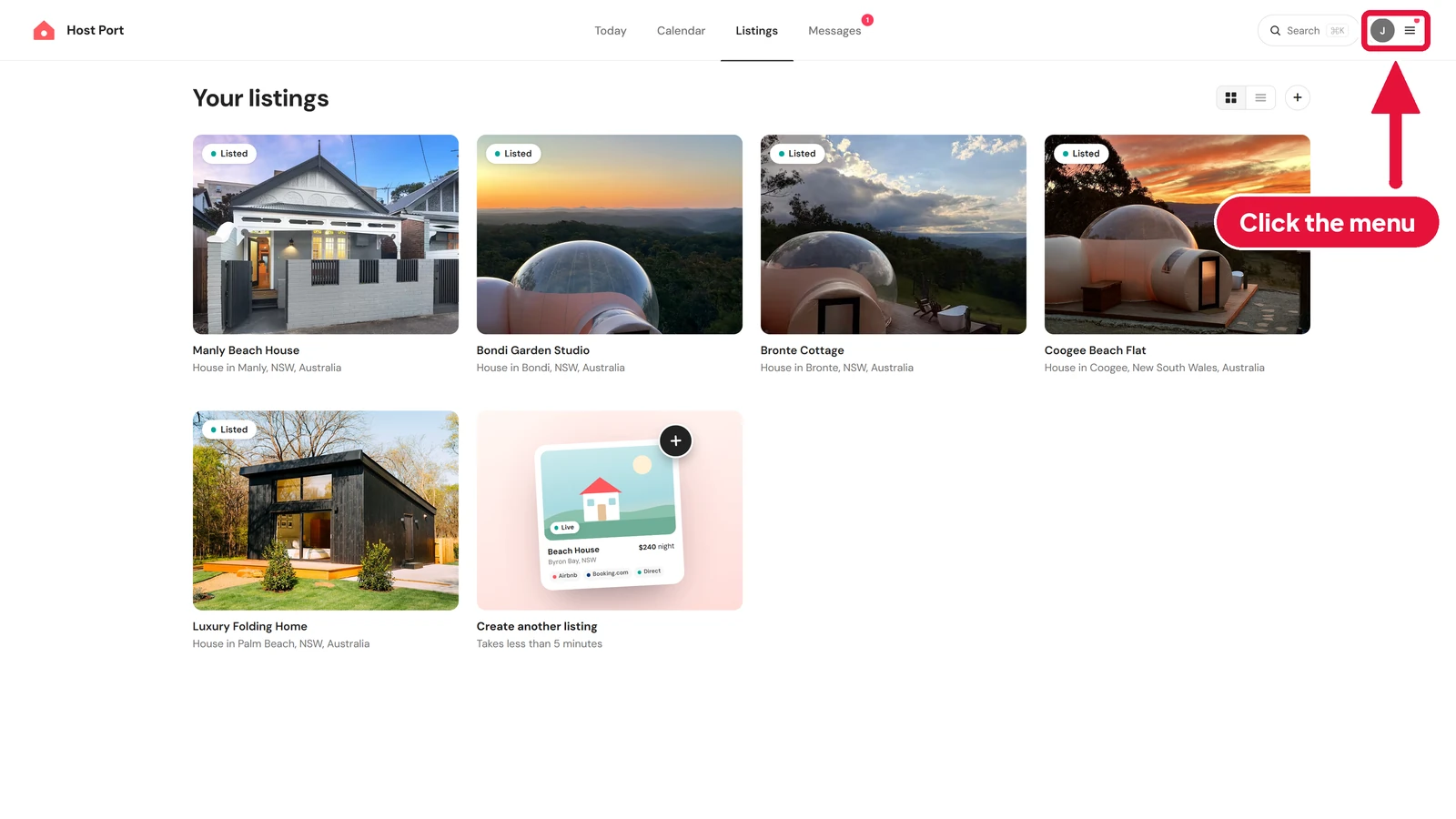
In Host Port, click the menu in the top right corner.
-
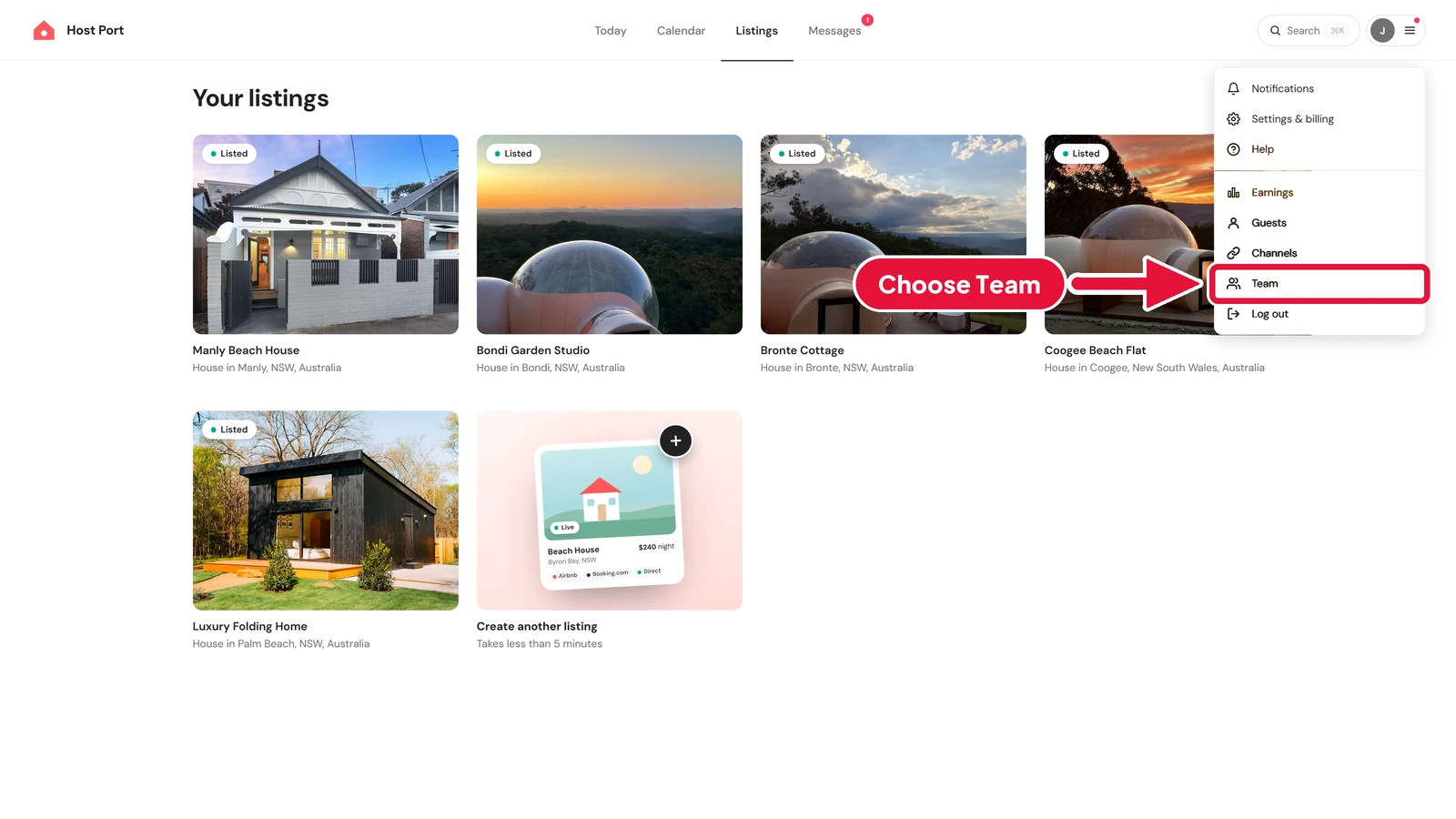
Choose Team.
-
This is your Team page. It lists everyone who already helps you, and how much each person can do.
Step 2: Invite your co-host
#-
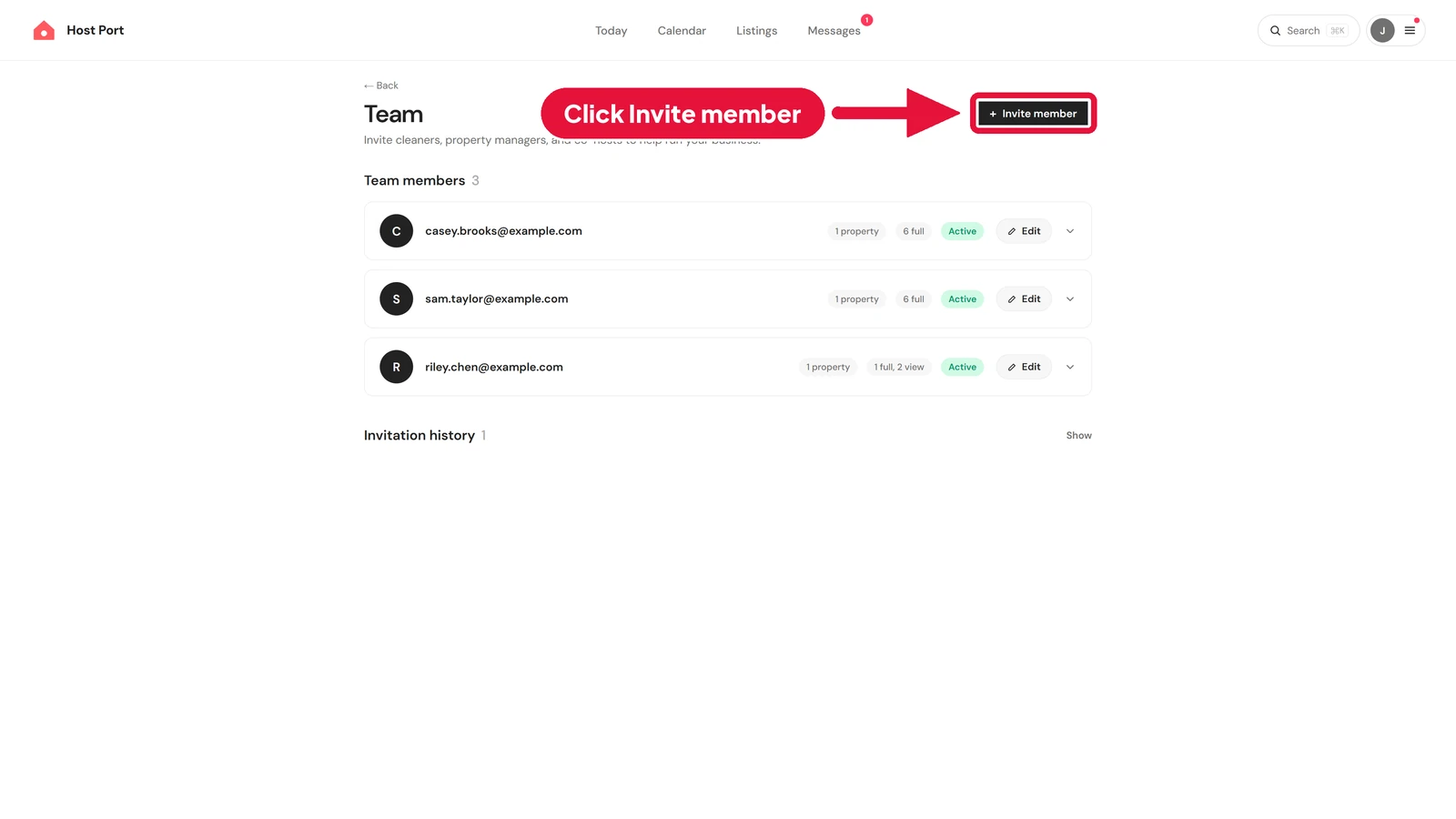
To bring your co-host on board, click Invite member.
-
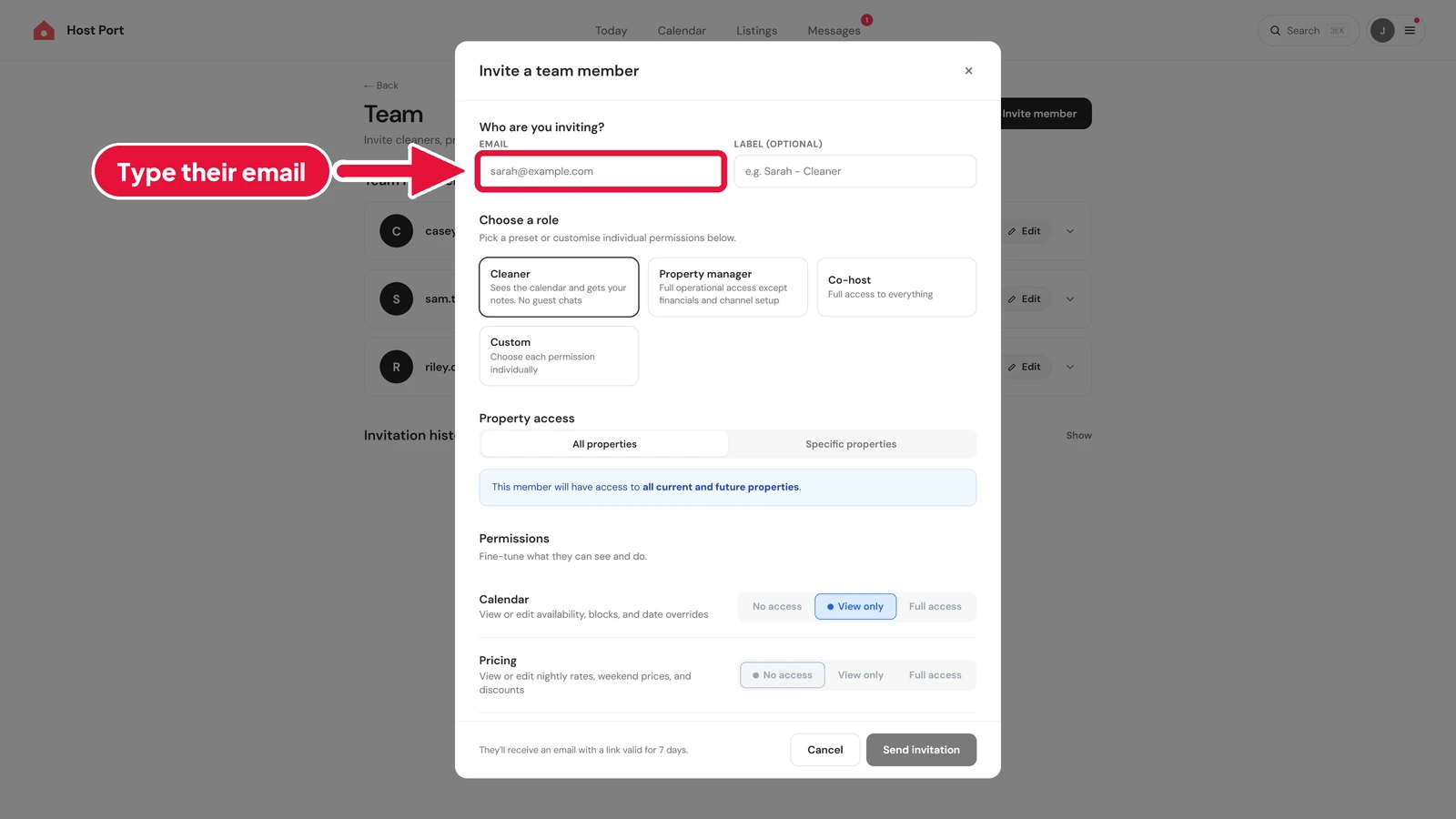
A box called Invite a team member opens. Under Who are you inviting?, click the Email box and type your co-host's email address, like alex.morgan@example.com.
Step 3: Choose their access
#-
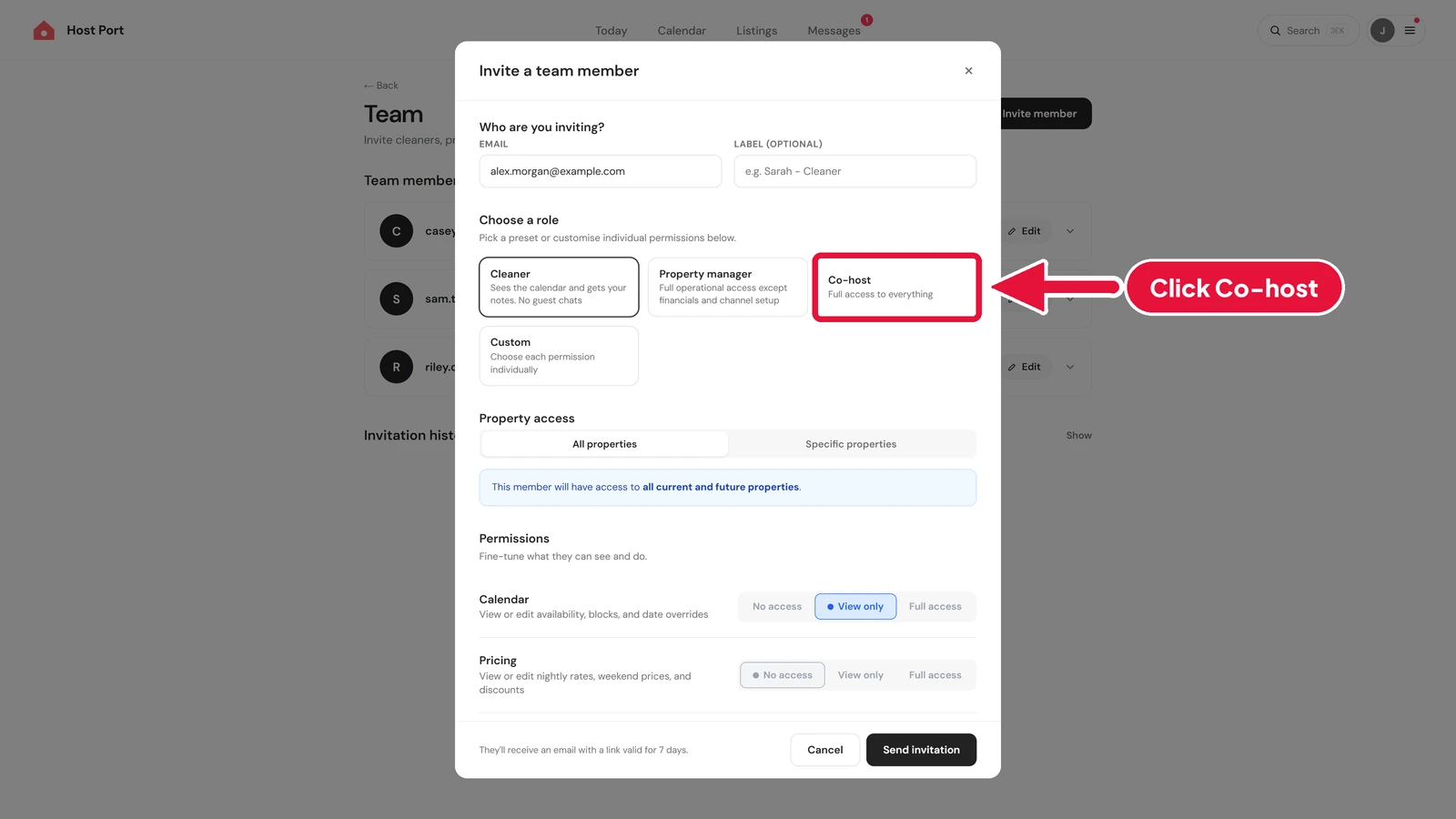
Under Choose a role, click Co-host. It says Full access to everything, so your co-host can help run things. The other roles are Cleaner, Property manager and Custom. Those give less.
-
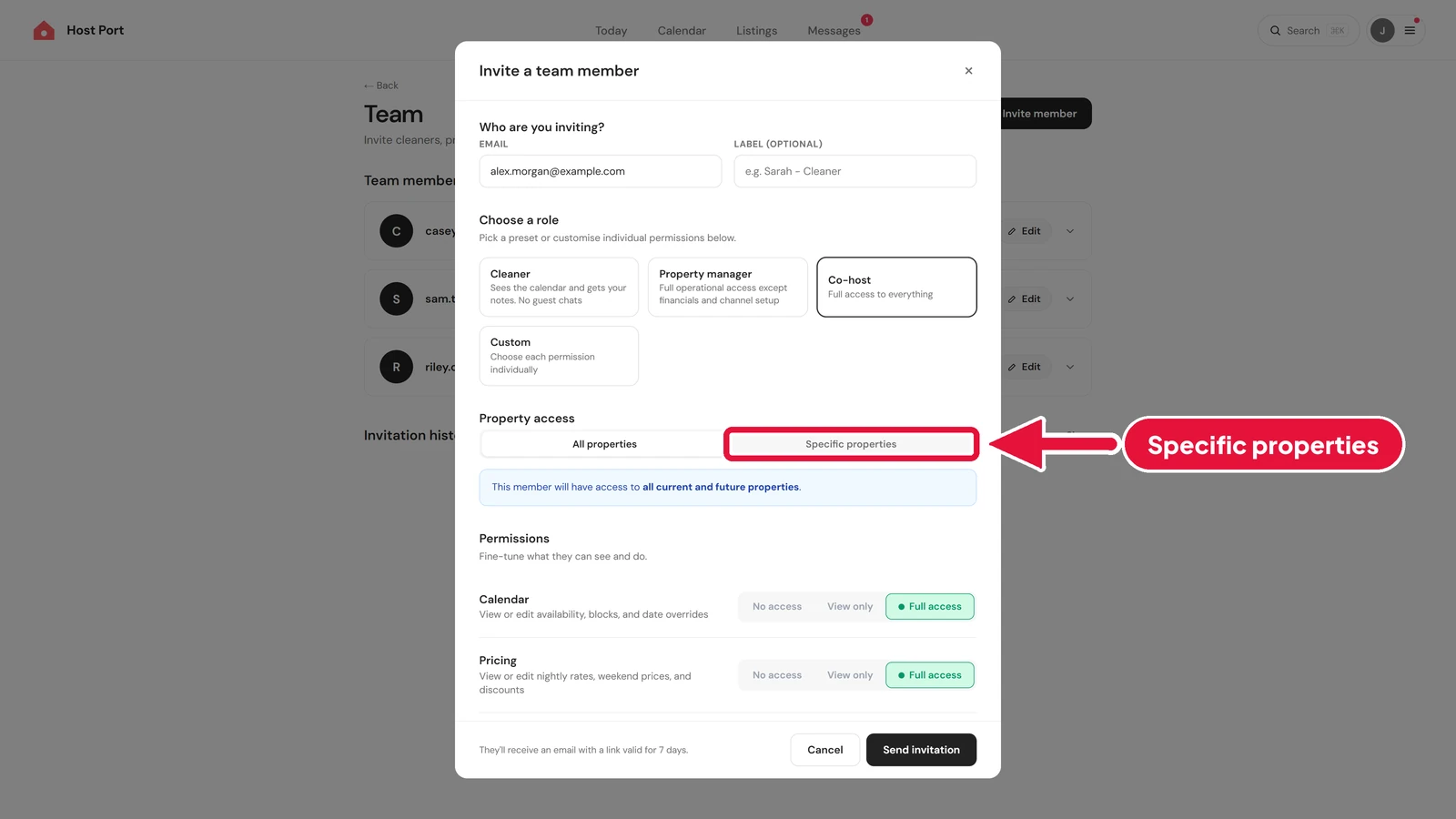
Under Property access, All properties is picked at first. That gives your co-host every listing you have now and any you add later. To pick which homes they help with, click Specific properties.
-
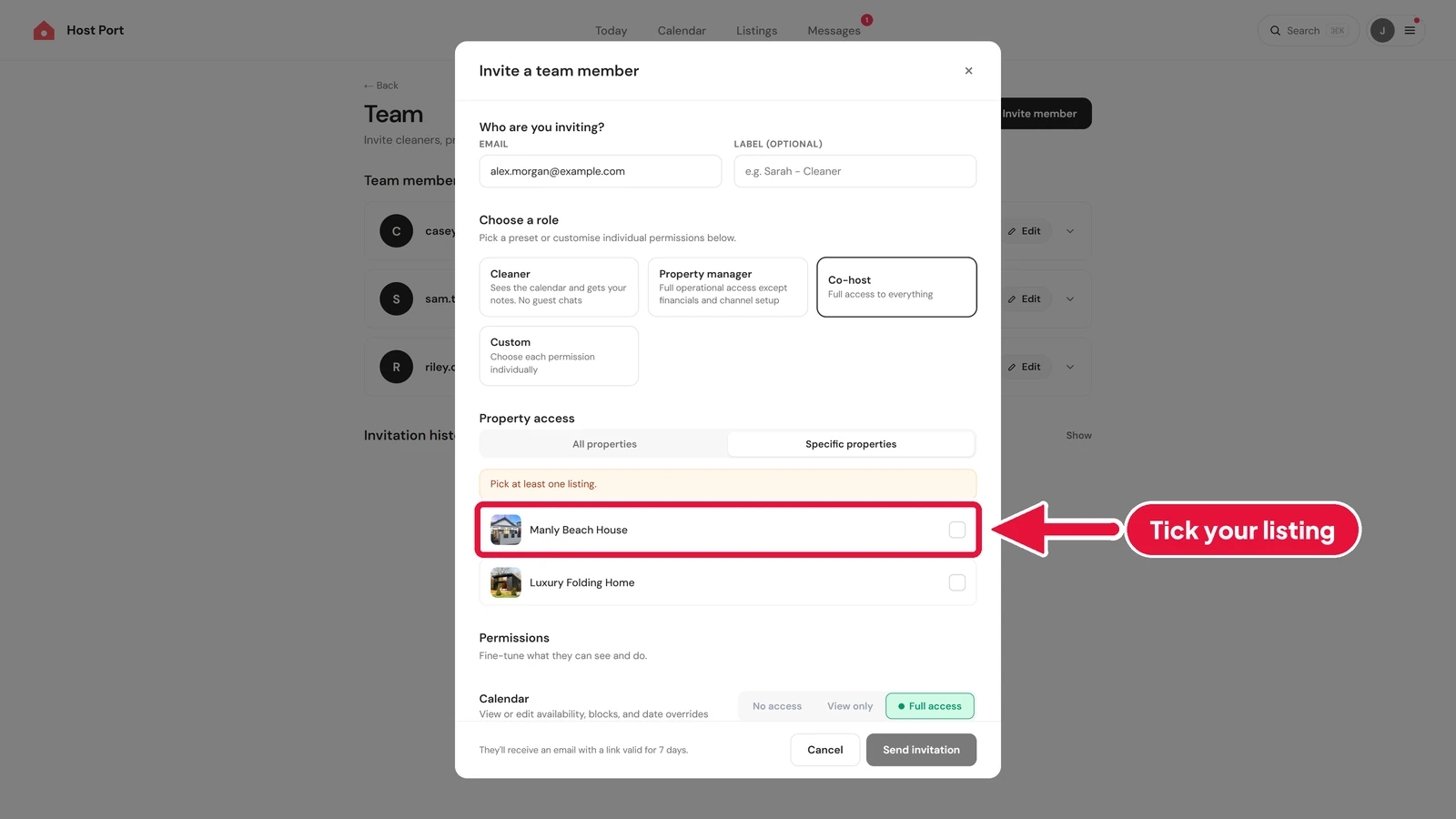
Tick your Vrbo listing. Here, that's Manly Beach House.
-
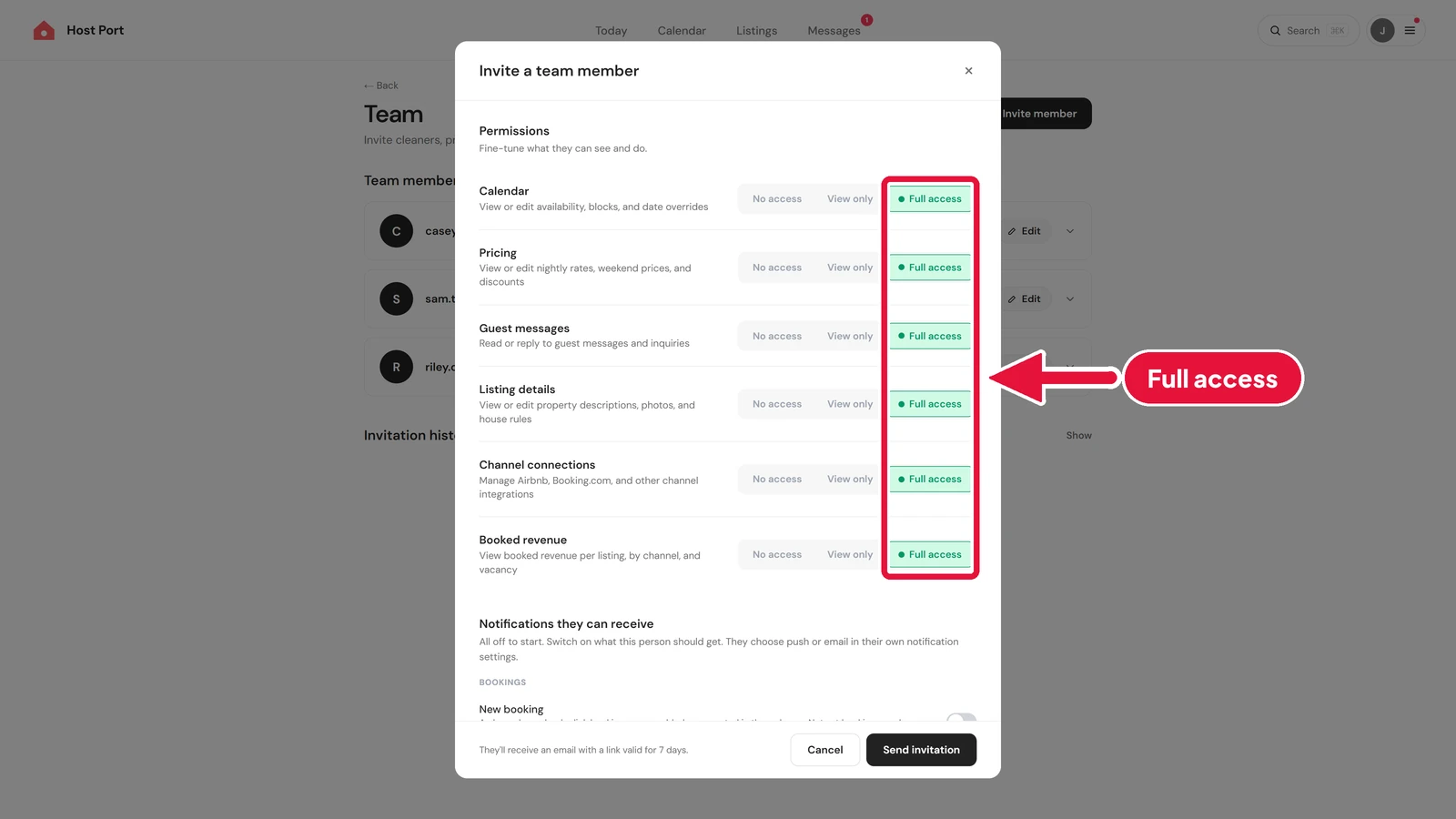
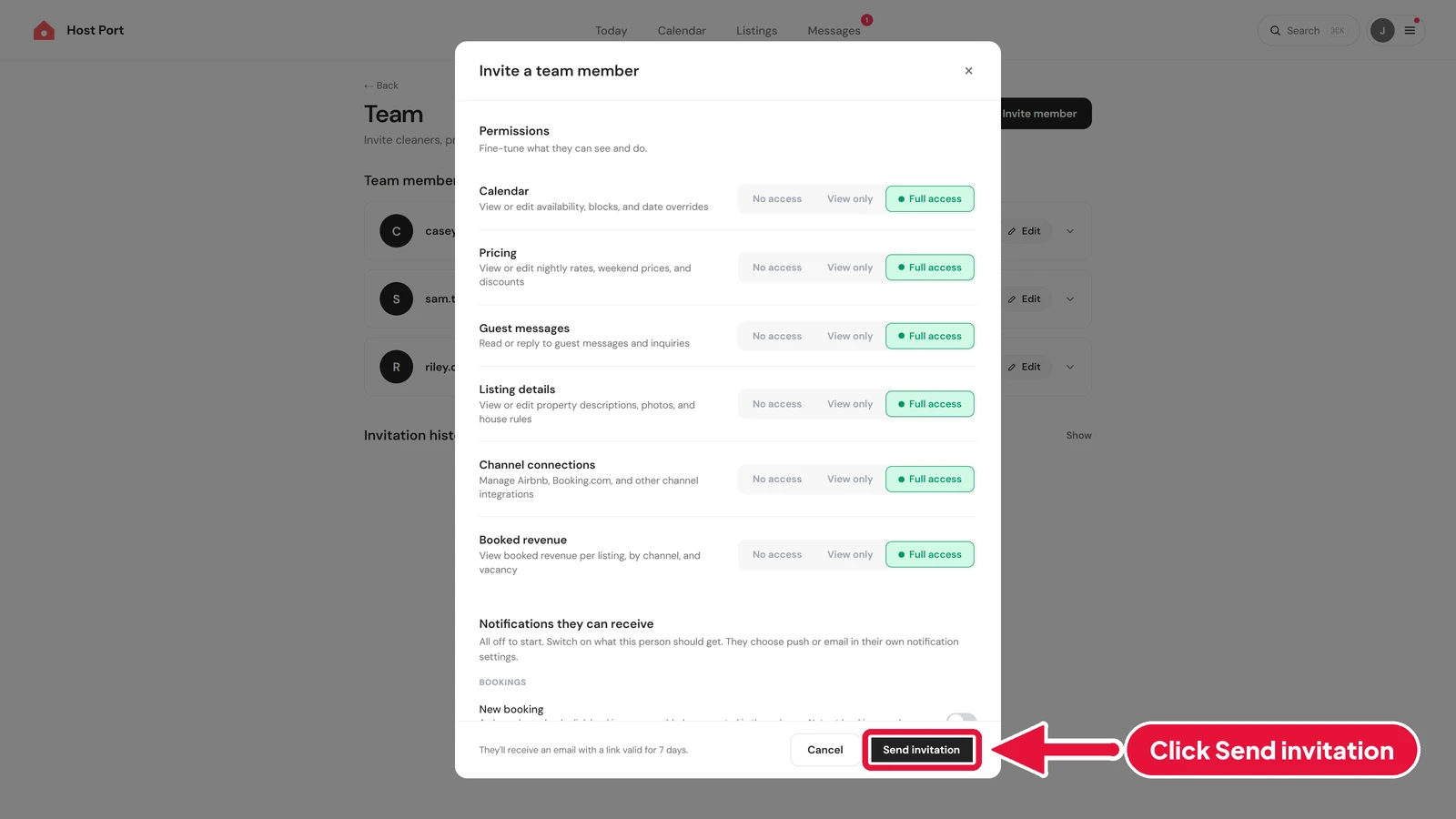
Scroll down inside the box. Under Permissions, you'll see everything your co-host can do: Calendar, Pricing, Guest messages, Listing details, Channel connections and Booked revenue.
-
Each row has No access, View only and Full access. The Co-host role gives Full access to all of them. If you like, you can turn any row down by clicking View only or No access on that row.
Step 4: Send the invite
#-
When you're happy, click Send invitation at the bottom of the box.
-
Your co-host gets an email straight away. They show on your Team page under Pending invitations, marked Pending, until they accept. The link in the email lasts for seven days.
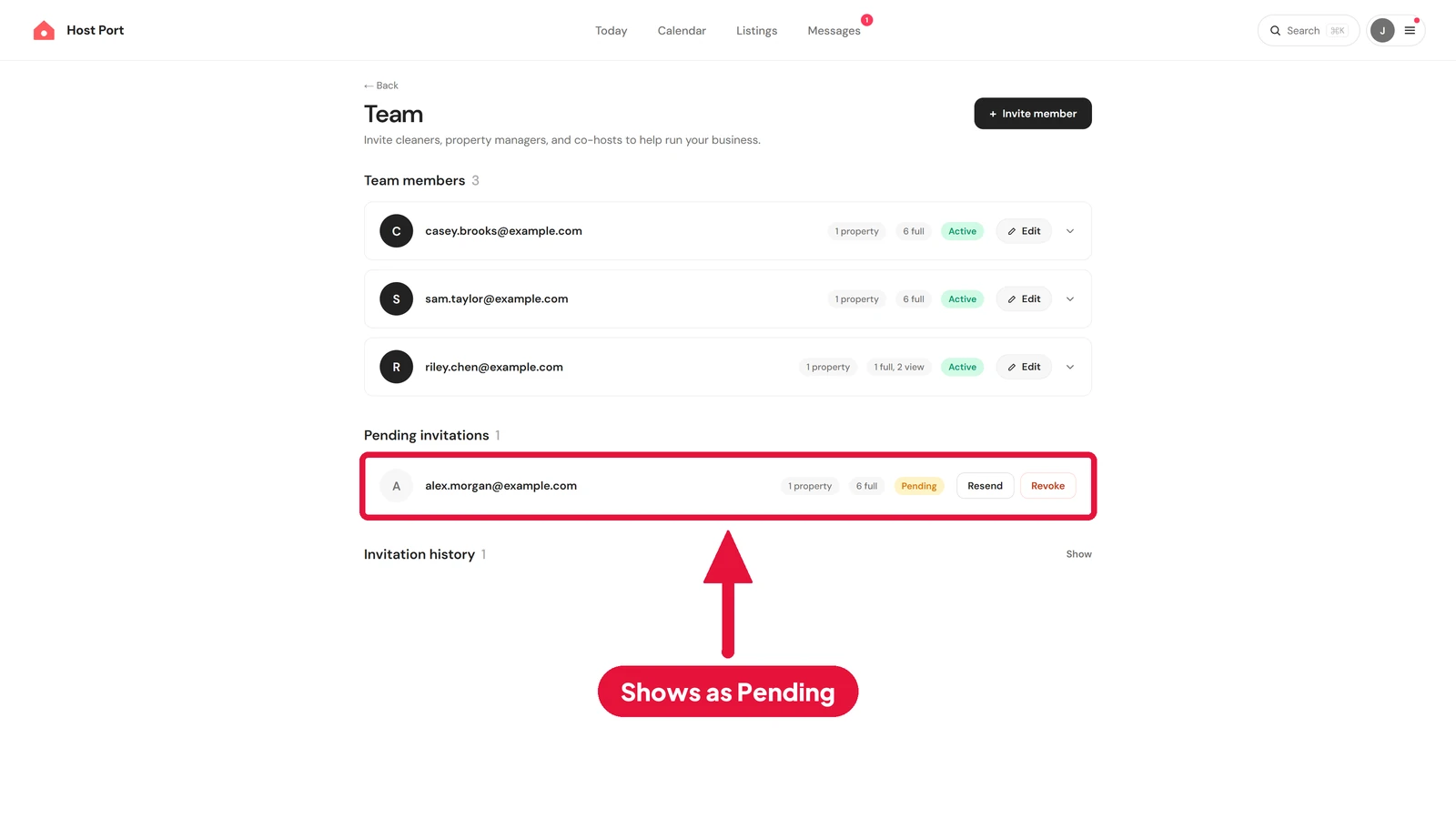
That's it. As soon as your co-host accepts, they can log in and start helping with your Vrbo listing.
Flat pricing, no contract, no sales call.
Host Port syncs your calendars with Airbnb, Booking.com and Vrbo and gives every listing a direct booking page. That part is free: unlimited listings, no card, no time limit. Two-way channel sync is $10 USD per listing per month, and it puts guest messages from your connected channels in one inbox.